 1. Create your account
- On the home page click Register (or go straight to the sign-up form).
- Choose an account name (3 to 16 letters or numbers) and a password (6 to 16 characters). The email is optional: it only helps us recover your account.
- Done. The same account works for the game, the forum and the Login panel on the home page (characters, password, unstuck, support tickets).
 2. Play or Play Mobile
Play (PC)
For a computer with keyboard and mouse. Opens /play/?modo=pc: the original client exactly as you remember it.
Play Mobile
For phones and tablets. Opens /play/?modo=movil with a touch interface made for thumbs. Turn your phone sideways.

Use an up-to-date Chrome, Edge or Safari. The first visit downloads the game data (the login screen needs about 45 MB); your browser keeps it, so the next time you are in within seconds.

The game starts in English. Prefer Spanish? Press the Español button on the login screen.
 3. Create your hero
Log in with your account, choose your faction, race and class, and press Enter World. All 10 races and 10 classes of Wrath of the Lich King are here. The Death Knight hero class starts at level 55.

On MaeloWOW you level 5 times faster. See Leveling.
 Controls on PC
| Action | Keys |
|---|---|
| Move | W A S D (strafe with Q E), jump with Space |
| Look around / steer | Hold the left mouse button to look, the right button to turn your character |
| Run forward | Hold both mouse buttons to run forward and steer with the mouse |
| Target | Click a target, or Tab for the nearest enemy |
| Talk, loot, attack | Right-click the NPC, corpse or enemy |
| Abilities | 1 to 0, - and = (action bar) |
| Chat | Enter to type, / for commands, R to reply to a whisper |
| Windows | B bags · C character · P spellbook · L quest log · M map · O social · Y achievements · I Dungeon Finder |
| Game menu | Esc |
Tip: press Esc > Key Bindings in game to change any key.
Controls on the phone (Play Mobile)
- Joystick on the left: push up to run forward, left/right to turn. A light push walks, all the way runs.
- Main button (bottom right): it changes by itself to Attack, Talk, Loot or Find target.
- 8 ability buttons around it with the real spell icons and cooldowns. Hold one to read its tooltip; hold and drag to move it.
- Tap to select · hold to right-click (talk, loot, walk there) · drag to look around · two fingers to zoom.
- Top buttons: Menu (bags, character, spells, quests, map, social, achievements, graphics quality, fullscreen), Chat (types with your phone keyboard) and Bags.
- The phone's back button closes whatever is open.
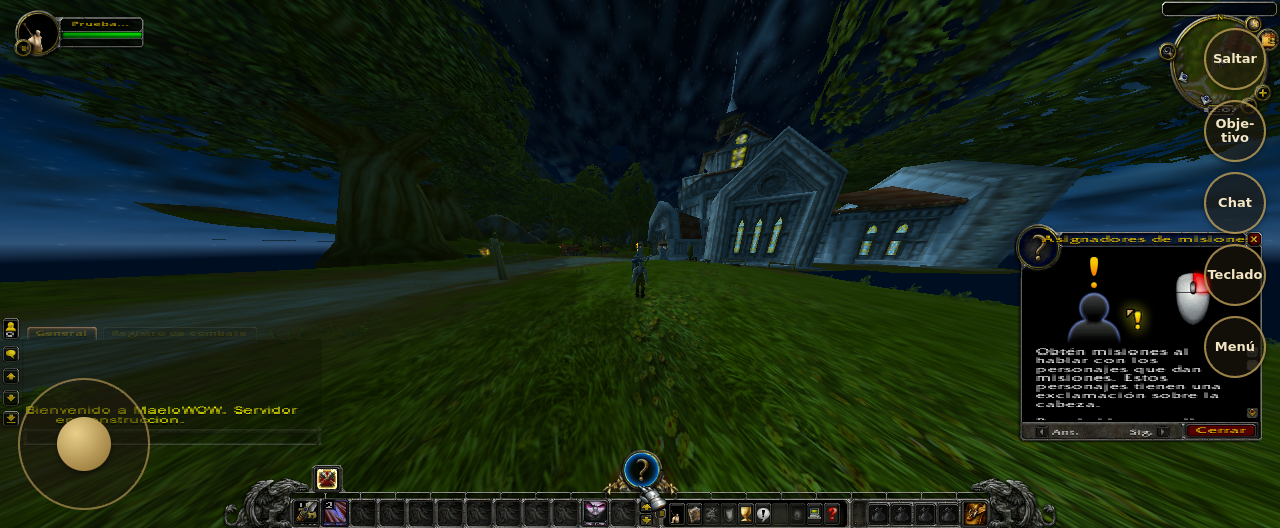
Graphics quality: Menu > Auto, Fast, Balanced or Beautiful. Choose Fast on older phones.
Northrend is waiting
Free, no download, the original game. Create your account and be in Azeroth in a couple of minutes.